Full-Stack Containerization & Multi-Container Networking
Built a modular, containerized web service environment and a multi-container network topology using custom Docker bridge networks and container name resolution.
- Problem
- “Works on my machine” failures from missing dependencies and hardcoded IP addresses.
- Tools
- DockerBridge networksGitSSH
- Result
- Repeatable image builds, and containers that talk to each other by name.
Architecture
- Step 1: A layered Dockerfile keeps builds repeatable and cache-efficient.
- Step 2: The image is built from source, so every environment gets the same runtime.
- Step 3: Containers run with published ports and managed lifecycles.
- Step 4: On a user-defined bridge network, containers resolve each other by name, not IP.
- Step 5: Code is version-controlled and pushed to GitHub over SSH.
- Network topology
- Multi-container
- Isolated runtime
- 100%
- Version control workflow
- Git + SSH
Why it matters
Ends dependency drift between laptops, test environments and servers. Isolated, repeatable runtimes and name-based networking make every deployment easier to reproduce.
The problem in detail
Software frequently breaks when moved across environments due to missing dependencies, conflicting runtimes and inconsistent OS libraries — the classic 'it works on my machine' problem.
What I built
- 01
Wrote structured, layered Dockerfiles using FROM, WORKDIR, COPY, RUN and CMD to create repeatable, cache-efficient builds.
- 02
Built a clean local web application service and wrapped it inside an isolated container runtime.
- 03
Built the image from source, managed container lifecycles, published ports and verified execution locally.
- 04
Created a custom user-defined Docker bridge network and attached independent containers to enable inter-container communication via container names instead of brittle IP addresses.
- 05
Initialized a Git repository, managed branches and configured SSH keys for secure remote authentication and GitHub collaboration.
Evidence
01 / 04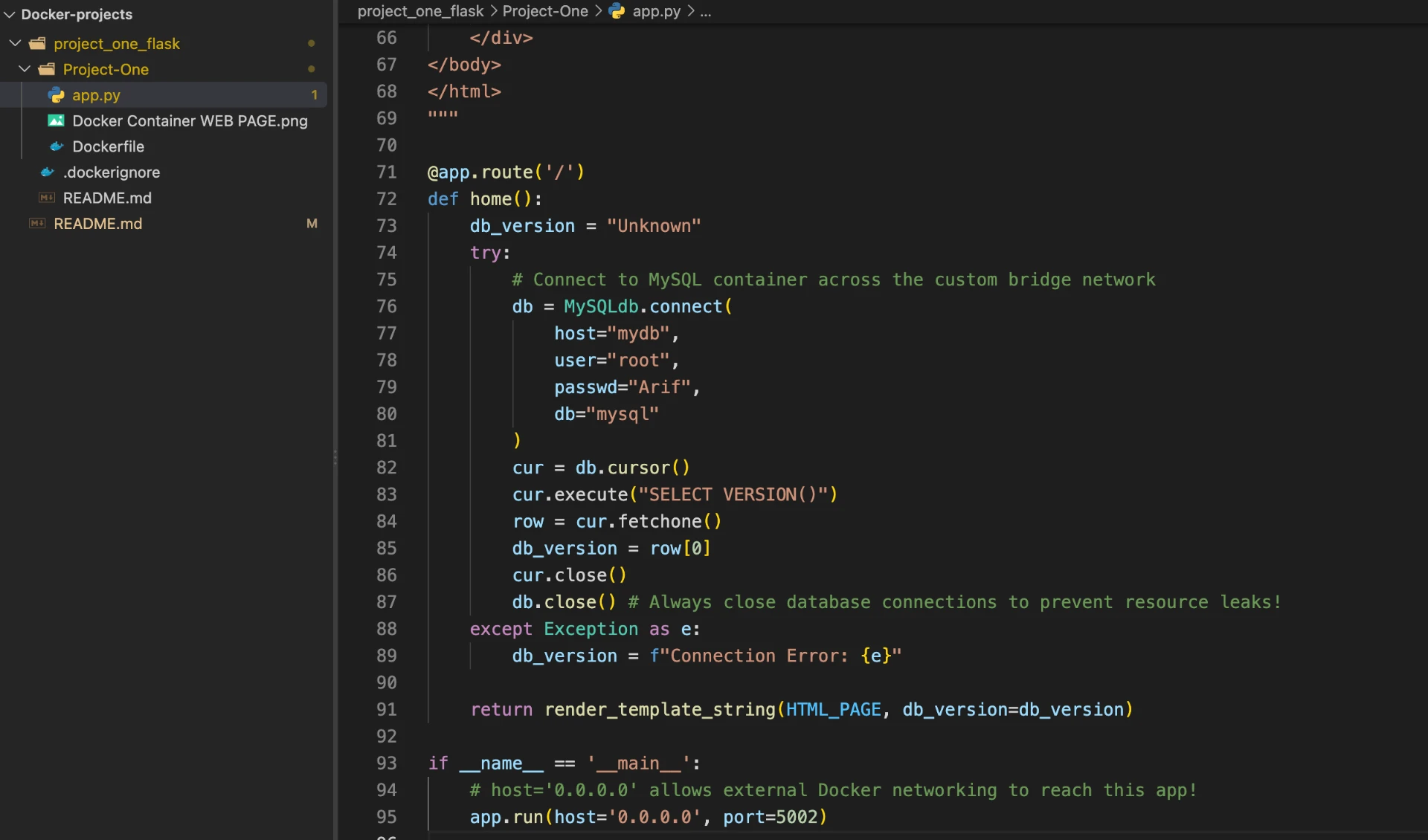
Stage 01 — app.py connecting to the MySQL container by container name (host="mydb") via Docker's internal DNS.