Amazon QuickSight — S3 Data Visualisation
Connected Amazon QuickSight to a Netflix titles dataset stored in Amazon S3 and built an interactive analysis: release-year distributions, movie-vs-TV-show splits, top genres and filtered views refreshed straight from the bucket.
- Problem
- 8,807 rows of raw CSV in S3 that no one could use without downloading it.
- AWS services
- S3QuickSightSPICE
- Result
- A six-visual interactive dashboard, imported at 100% success, built in about two hours.
Architecture
- Step 1: The CSV and a manifest file are uploaded to a dedicated S3 bucket.
- Step 2: The manifest tells QuickSight exactly where the data lives and how to read it.
- Step 3: All 8,807 rows import into SPICE at 100% success.
- Step 4: Six visuals: release-year spread, movies vs TV shows, top genres.
- Step 5: Stakeholders filter the dashboard instead of downloading files or writing queries.
- Imported at 100% success
- 8,807 rows
- On one interactive dashboard
- 6 visuals
- From raw CSV to insights
- ~2 hrs
Why it matters
Analysts can answer routine catalogue questions without downloading files or writing one-off queries. 8,807 records became six decision-ready visuals in about two hours, with a repeatable path from source data to insight.
The problem in detail
A 3.2 MB CSV of 8,807 titles sitting in an S3 bucket answers nothing on its own. Stakeholders needed to see trends — how output changed year on year, how movies compare to TV shows, which genres dominate — without downloading files or writing queries.
What I built
- 01
Uploaded netflix_titles.csv and a manifest.json file into a dedicated quicksight-project-arifr S3 bucket.
- 02
Edited the manifest to point at the correct S3 URI, so QuickSight could locate and correctly interpret the CSV.
- 03
Created a QuickSight account on the free trial tier and connected it to the S3 data source.
- 04
Imported the dataset into SPICE — 8,807 rows at 100% success — and confirmed schema, refresh status and access settings.
- 05
Built visuals: a donut of record counts by release year, stacked and grouped bars comparing movies, TV shows and other types per year, and a top-genres breakdown.
- 06
Applied filters and re-ran the import after updating the source file to confirm the analysis reflects live bucket data.
- 07
Assembled the visuals into a single dashboard view for at-a-glance reading.
Evidence
01 / 06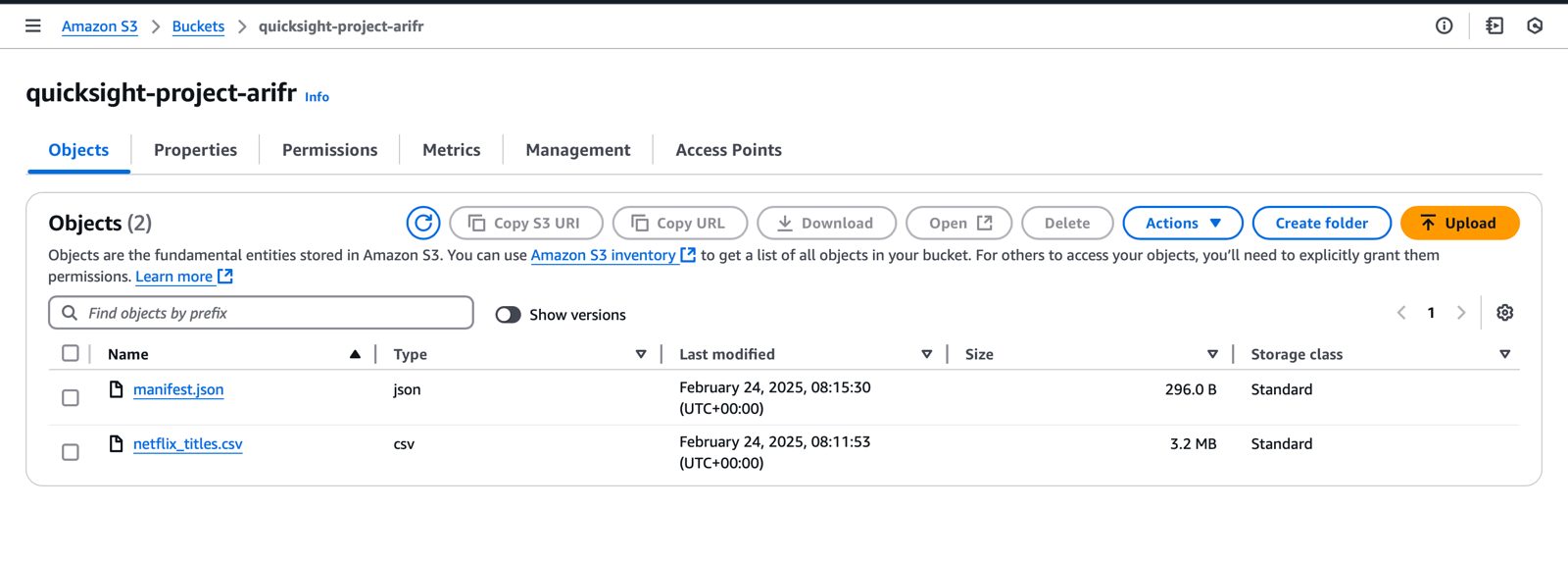
Stage 01 — the quicksight-project-arifr S3 bucket holding netflix_titles.csv and the manifest.json that tells QuickSight where the data lives.